
AI photo calorie counter
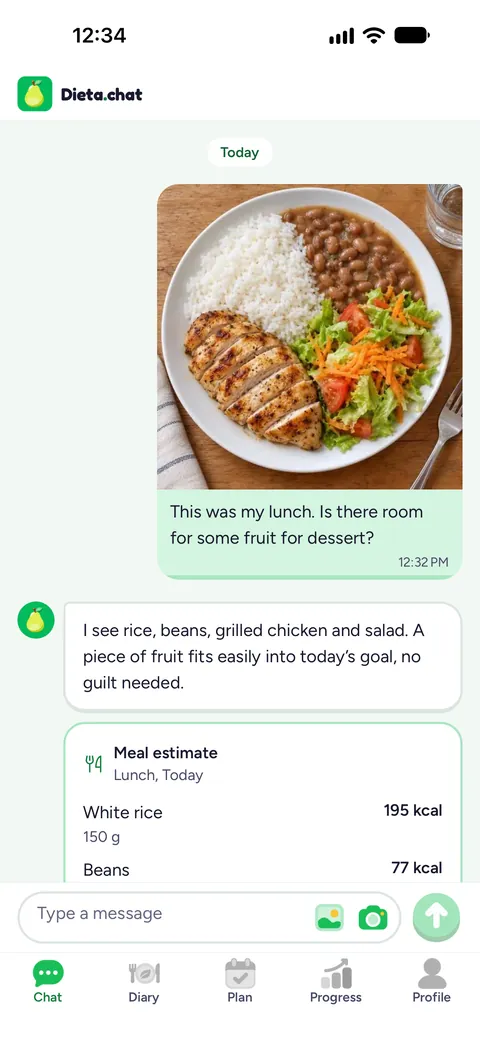
Snap your plate and chat. Dieta.chat identifies the foods and estimates portions, calories and macros, and you check and adjust before saving to your diary.
How to count calories from a photo
Four steps, with no searching food by food.
Snap your plate
Open the chat, tap the camera (or pick a photo from your gallery) and send it. If you like, add a note about what the photo does not show.
The AI identifies what is on the plate
The assistant recognizes the foods, estimates the portions and replies with a card: each item with its portion, calories and macros.
You check and adjust
Swap an item, change a quantity or correct it in the chat. Nothing goes into the diary until you see it and tap Save.
Save it to your diary
The meal goes into the diary and counts against the day’s goal. What you eat often becomes a favorite, to log in one tap.
What you can log
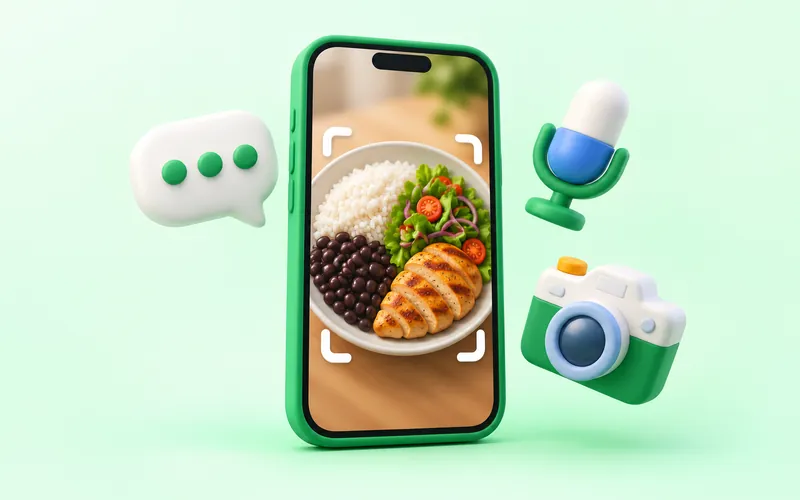
A plate, by photo
Rice, beans, protein and salad become separate items, each with its own portion and calories.
Text
Write “I had two scrambled eggs and a slice of buttered bread” and get the same card to check.
Barcode
Scan the package and the numbers come from the product label.
Recipes and favorites
The app’s 320 recipes show calories and macros per serving, and the meals you repeat become favorites.
How accurate is counting calories from a photo?
A photo shows what is on the plate, but not everything in it. That is why the result is an estimate, not a weighing. What often slips through:
- Portion size. Without a scale, size is judged by eye. A deep plate can hide more rice than it looks.
- Oil, olive oil, butter and sugar. They vanish in a photo and weigh on the calories.
- Sauces, fillings and mixed dishes. What is underneath or inside does not show.
So the card is a starting point, not a verdict. When a food is in the USDA table, the calories come from it; the portion is still an estimate, and each item shows where its number came from. Adjust anything that differs from what you ate.
Tips for a good photo
- Shoot from above, with the whole plate in the frame.
- Use natural or good light, with no filter and no shadow over the food.
- Keep the foods apart, not piled up, so each one shows.
- Say what does not show: “it had a spoon of olive oil” or “the juice has sugar”.
- A mixed dish, like a stew or lasagna? Tell the chat the main ingredients.
Use it with the plan and the diary
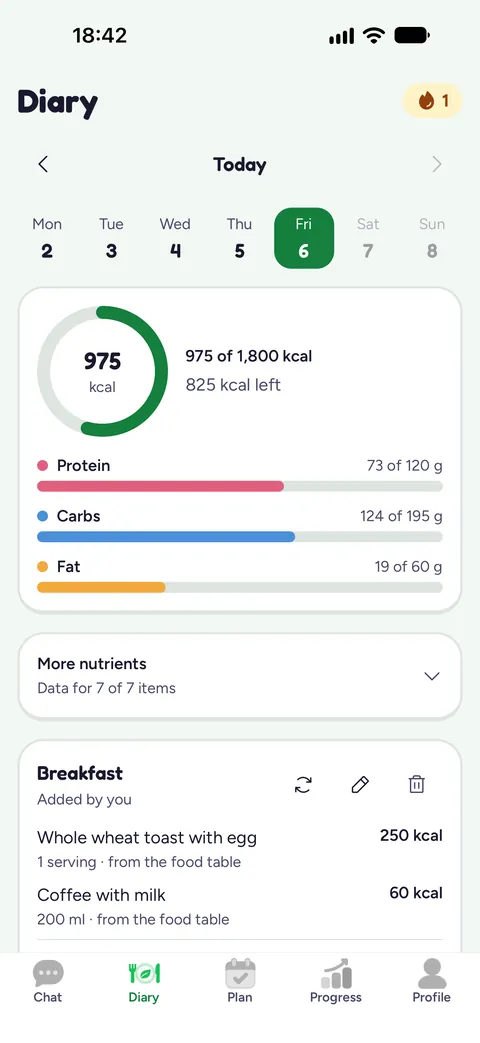
Each saved meal goes into the diary, which shows how much is left for the day’s goal and tracks protein, carbs and fat. The goal comes from your profile and, if you set up a weight-loss plan, the app works out a safe pace and a projected date. Want to know how much to eat first? Use the free calculators on the site.
Related calculators
Questions about counting calories from a photo
Is a photo calorie counter accurate?
It is an estimate. The AI identifies the foods that show in the photo and estimates the portions, but hidden portions, oil and sauce can change the result. That is why you check and adjust the card before saving.
Do I need to weigh my food?
No, the photo is enough for an estimate. If you know the weight, adjust the item’s quantity before saving.
What if the AI gets a food wrong?
Edit the card: swap the item, change the quantity or correct it in the chat. What goes into the diary is what you confirm.
Where do the calories come from?
From the USDA food table, from the US government, when the food is listed there. Branded products and ready meals are estimated by the AI, and each item shows where its number came from.
Can I count calories without a photo?
Yes. Write what you ate, scan the package barcode or add the meal by hand.
Try it with your next meal
Download the app, answer the first questionnaire and send a photo of your plate.